
Agent Teams AI provides multi-agent orchestration with cross-team communication, kanban-style task management, and extensive provider integrations. It offers local model setups and a desktop app with multi-provider support and token analytics.
Collecting history — the radar snapshots this repo daily. The trend line appears after 3 days of data (2 so far).


What it is
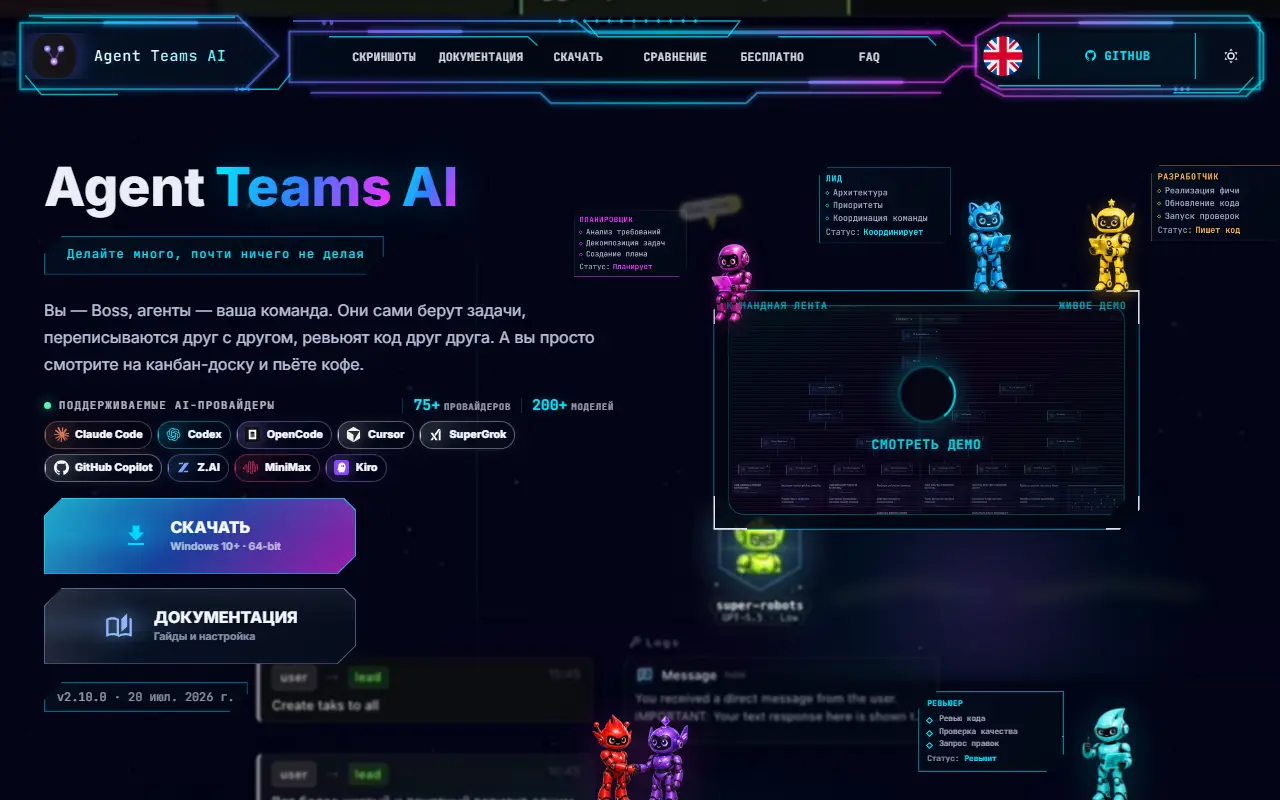
An orchestration layer for AI agent teams across Claude Code, Codex, OpenCode, Cursor, SuperGrok, GitHub Copilot, Z.AI, MiniMax, and Kiro.
- Assemble your team — create agent teams with different roles that work autonomously in parallel
- Sit back and watch — tasks change status on the kanban board while agents handle everything on their own
- Agents talk to each other — they communicate, create and manage their own tasks, review, leave comments
- Review changes like in Cursor — see what code each task changed, then approve, reject, or comment
- Built-in review workflow — easily see how agents review each other's tasks to make sure everything went exactly as planned
- Token analytics and budgets — see input, output, cache, and reasoning usage across teams, agents, tasks, projects, models, runtimes, sessions, commands, and runs. Spot expensive work, track trends and forecasts, set monthly token or estimated-cost budgets, and get alerts at 80% and 100%
- Organizations and global overview — group teams into departments, squads, or any nested structure. Track every organization on one live map with team and agent status, task progress, dependencies, delegation, and cross-team communication
- Cross-team communication — agents can fully communicate across different teams; you can configure or prompt them to collaborate and message each other between teams
- Stay in control — send a direct message to any agent, drop a comment on a task, or pick a quick action right on the kanban card whenever you want to clarify something or add new work
- Flexible autonomy — let agents run fully autonomous, or review and approve supported tool actions one by one (you'll get a notification) — configure the level of control that fits your security needs
- Task-specific logs and messages — clearly see agent/runtime logs (tools), actions and messages in isolation for each individual task, making it easy to trace what happened for any assignment
- Integrated terminal workspace — run commands in a visual PTY, switch between the team runtime and local shell, and use persistent history, autocomplete, and terminal settings without leaving the app
- Solo mode — one-member team: a single agent that creates its own tasks and shows live progress. Saves tokens; can expand to a full team anytime
- Multi-provider orchestration — start with a free model with no auth, auto-detect available Claude Code, Codex, and OpenCode runtimes, or connect Cursor, SuperGrok, GitHub Copilot, Z.AI, MiniMax, and Kiro using the subscriptions or API keys you already have
-
Live process section — see registered background services, stop them, and open their URLs directly in the browser
-
Per-agent CPU/RAM history — see how many local resources each live teammate uses over time
-
Task creation with attachments — send a message to the team lead with any attached images. The lead will automatically create a fully described task and attach your files directly to the task for complete context.
-
Auto-resume after rate limits — when the lead hits a Claude rate limit and the reset time is known, the app can automatically nudge the lead to continue once the cooldown has passed
-
Deep session analysis — detailed breakdown of each agent session: agent output, tool calls, bash commands, and subprocesses
-
Smart task-to-log/changes matching — automatically links session logs/changes to specific tasks
-
Advanced context monitoring system — see what consumes context: user messages, project instructions, tool outputs, available thinking summaries, and team coordination. View token usage, context-window share, and estimated cost by category.
-
Recent tasks across projects — browse the latest completed tasks from all your projects in one place
-
Zero-setup onboarding — start with the free model with no auth, then connect paid/account providers only when you need them
-
29 interface languages - choose the app language and preferred agent communication language. Includes English, Chinese, Spanish, Hindi, Portuguese, French, Arabic, German, Japanese, Korean, Russian, Ukrainian, and 17 more.
-
Built-in code editor — edit project files with Git support without leaving the app
-
Branch strategy - choose per teammate at launch: use the main checkout or run selected agents in their own git worktree. You can still spell out branch rules in the provisioning prompt.
-
Team member stats — global performance statistics per member
-
Attach code context — reference files or snippets in messages, like in Cursor. You can also mention tasks using
#task-id, or refer to another team with@team-namein your messages. -
Notification system — configurable alerts when tasks complete, agents need your response, new comments arrive, or errors occur
-
MCP integration — supports the built-in
mcp-server(see mcp-server folder) for integrating external tools and extensible agent plugins out of the box -
Post-compact context recovery — when the active runtime compacts its context, the app restores the key team-management instructions so kanban/task-board coordination stays consistent and important operational context is not lost
-
Task context is preserved — thanks to task descriptions, comments, and attachments, all essential information about each task remains available for ongoing work and future reference
-
Workflow history — see the full timeline of each task: when and how its status changed, which agents were involved, and every action that led to the current state
Getting started
Installation: No prerequisites - the app can detect installed Claude Code, Codex, and OpenCode runtimes. You can also connect Cursor, SuperGrok, GitHub Copilot, Z.AI, MiniMax, and Kiro from the UI.
- macOS Apple Silicon: Agent.Teams.AI-2.7.0-arm64.dmg
- macOS Intel: Agent.Teams.AI-2.7.0-x64.dmg
- Windows: Agent.Teams.AI.Setup.2.7.0.exe
- Linux: agent-teams-ai_2.7.0_amd64.deb, agent-teams-ai-2.7.0.x86_64.rpm, agent-teams-ai-2.7.0.pacman
Install/launch instructions are provided via release assets and UI prompts in-app for provider connections.
Recent releases
- v2.10.0 (2026-07-20): Improved local model setup, team launches, Changes recovery, and provider error messages.
- v2.9.0 (2026-07-18): Redesigned the team page and related workflows, added simple setup for local models, improved Cursor-style control over code changes, and fixed issues in agent setup, launch, and recovery.
- v2.8.0 (2026-07-13): Use more of the AI subscriptions you already have: Connect SuperGrok, GitHub Copilot, Cursor, Amazon Q Developer / Kiro, Z.AI Coding Plan, MiniMax Token Plan, Kimi Code.
- v2.7.0 (2026-07-06): Adds a dedicated Usage page that shows where tokens and spend go across teams, agents, tasks, providers, models, cache tokens, and time ranges. The release also improves team launch reporting, OpenCod
- v2.6.0 (2026-06-29): Adds Organization Map and fixes first-run Claude workspace trust for new projects. Also updates bundled runtimes and hardens task-change recovery for large teams. Fix OOMs.
Traction
- stars: 1631
- forks: 285
- open_issues: 13
License
- AGPL-3.0
Behind the repo
- Repository: 777genius/agent-teams-ai
- Language: TypeScript
- Created: 2026-02-21
- Last push: 2026-07-20
- Topics include agent-orchestration, agent-teams, agent-to-agent, ai-agents, claude, claude-code, codex, coding-agent, cursor, developer-tools, electron, github-copilot, kiro, llm, mcp-server, multi-agent, multi-agent-systems, openai, opencode, typescript